# 🍿 TMDB Embed API
> Modern, configurable streaming metadata + source aggregation API with a secure admin panel and multi-key TMDB rotation.



---
## 📸 Screenshots
---
## ✨ Features
- **Multi‑TMDB Key Rotation** – Supply multiple API keys; one is chosen randomly per request.
- **Provider Aggregation** – Pluggable providers (Showbox, 4khdhub, MoviesMod, MP4Hydra, VidZee, Vixsrc, Xprime) with per‑provider enable toggles + default selection.
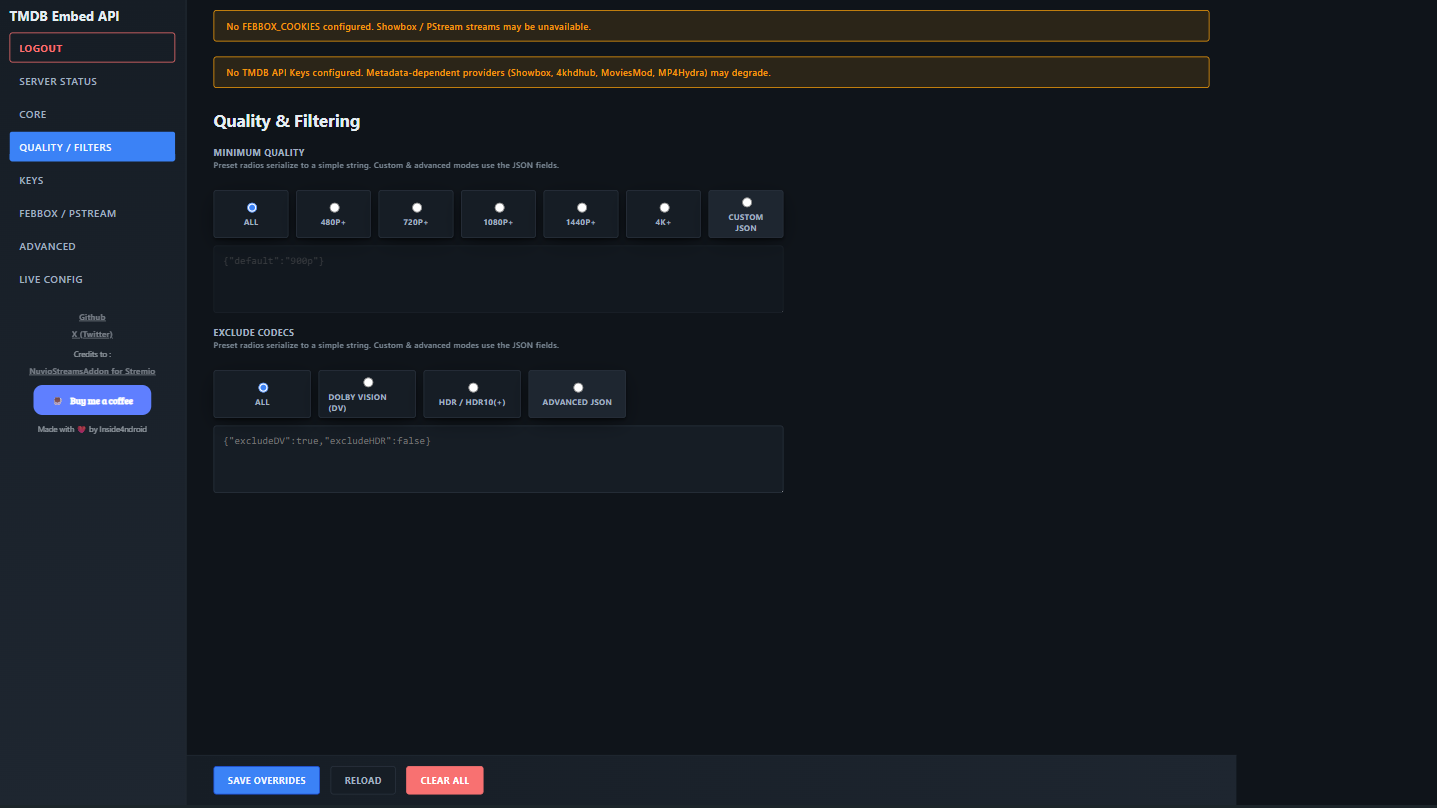
- **Dynamic Filtering** – Minimum quality presets, custom JSON quality map, codec exclusion rules (presets + JSON).
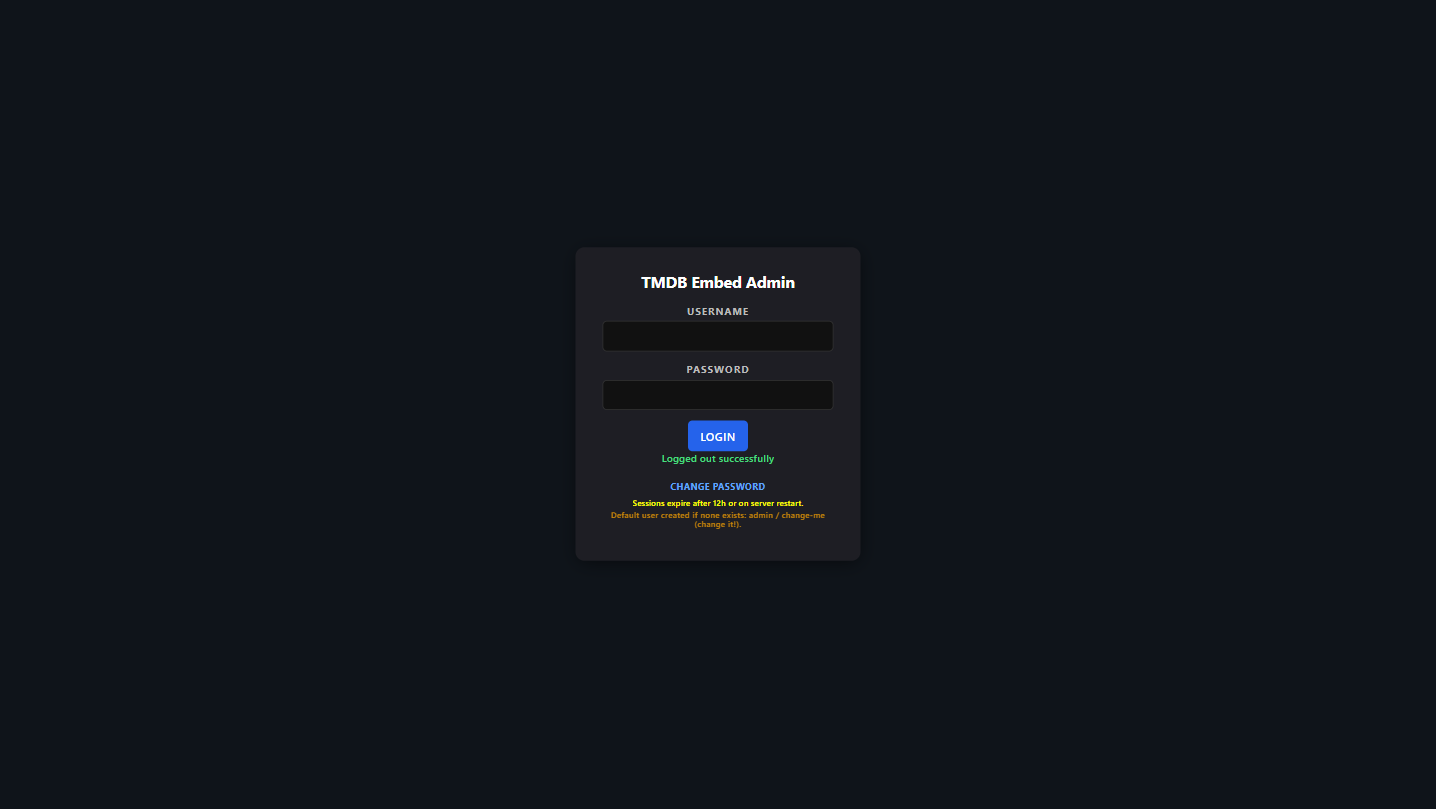
- **Runtime Overrides UI** – Fully interactive web admin at `/` (login protected) writing to `utils/user-config.json`.
- **Session Auth + Rate Limiting** – Login system with brute‑force lockouts, logout, password change.
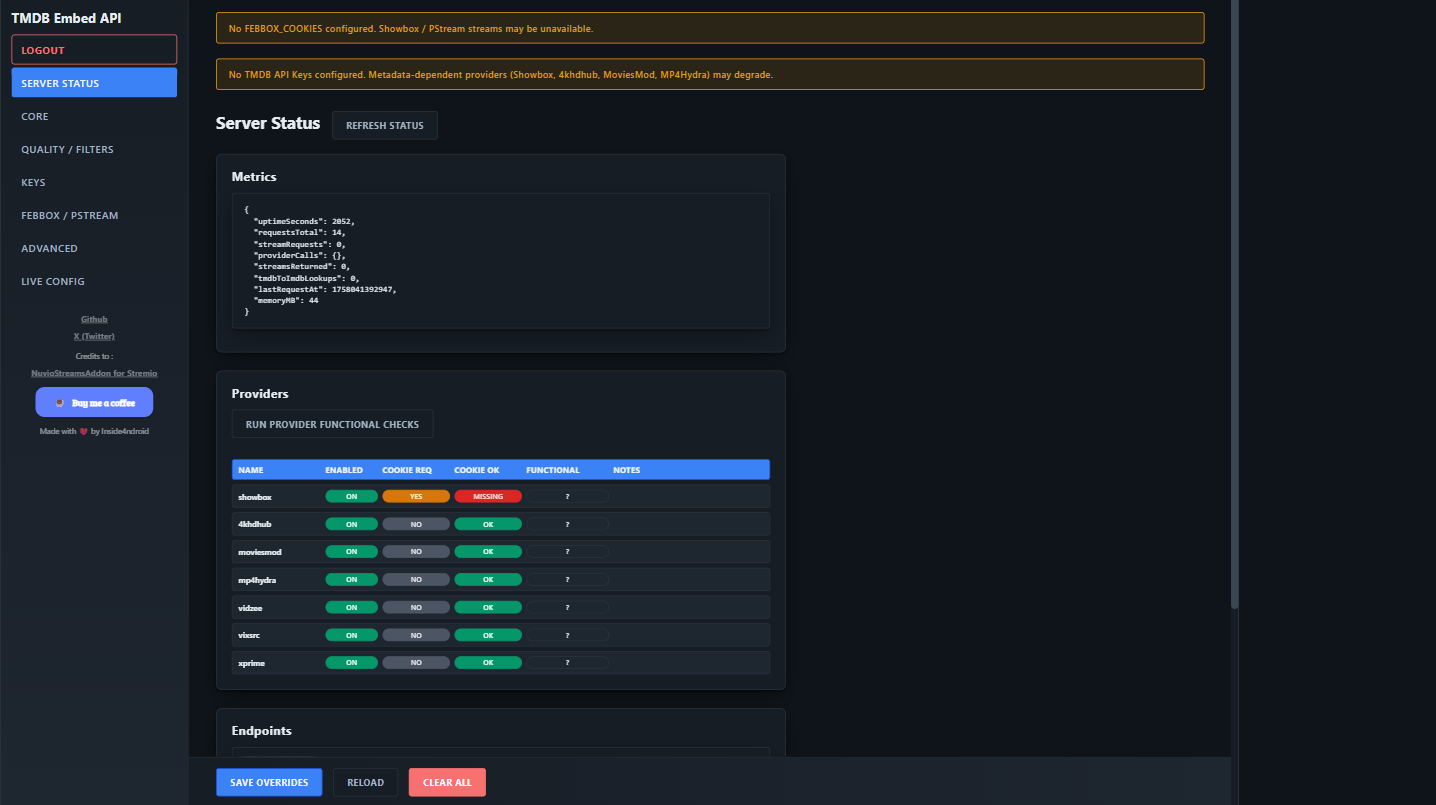
- **Status & Health Panel** – Live metrics, provider status, endpoint list, functional provider checks.
- **Config Propagation** – Overrides mirrored to `process.env` for legacy compatibility (no `.env` required after first save).
- **Back‑Navigation Safe** – Cache-control + visibility/session revalidation.
- **Extensible** – Simple provider registry pattern.
---
## 📦 Quick Start
```bash
# 1. Install dependencies
npm install
# 2. (Optional) Copy example env if you want an initial TMDB key
cp .env.example .env # then edit TMDB_API_KEY=
# 3. Start API (production style)
node apiServer.js
# Or with automatic restarts (if you add a dev script)
# npm run dev:api
# 4. Open the Admin UI (login page) in browser
http://localhost:8787/
# 5. Health check
curl http://localhost:8787/api/health
```
---
## 🐳 Docker Usage
### Pull & Run (Fastest)
If you just want to run it (no building):
```bash
docker pull inside4ndroid/tmdb-embed-api:latest
docker run --name tmdb-embed-api -p 8787:8787 \
-e TMDB_API_KEY=YOUR_TMDB_KEY \
inside4ndroid/tmdb-embed-api:latest
```
Persist overrides (Windows PowerShell example) by mounting a local file:
```powershell
New-Item -ItemType File -Path .\utils\user-config.json -Force | Out-Null
docker run --name tmdb-embed-api -p 8787:8787 `
-e TMDB_API_KEY=YOUR_TMDB_KEY `
-v ${PWD}/utils/user-config.json:/app/utils/user-config.json `
inside4ndroid/tmdb-embed-api:latest
```
### Build Locally
```bash
docker build -t tmdb-embed-api .
docker run --name tmdb-embed -p 8787:8787 \
-e TMDB_API_KEY=YOUR_TMDB_KEY \
-v "$(pwd)/utils/user-config.json:/app/utils/user-config.json" \
tmdb-embed-api
```
After first login + save, the UI writes overrides into the mounted `user-config.json` so they persist across container restarts.
### docker-compose
An example `docker-compose.yml` is included. Start with:
```bash
docker compose up -d --build
```
Environment variables can be supplied via a `.env` file in the same directory (Compose automatically loads it). Example `.env`:
```
TMDB_API_KEY=first_key
FEBBOX_COOKIES=cookie1,cookie2
```
To stop & remove:
```bash
docker compose down
```
### Switching to Multiple TMDB Keys
Either set `TMDB_API_KEYS` to a JSON array string:
```bash
docker run -p 8787:8787 \
-e TMDB_API_KEYS='["KEY1","KEY2","KEY3"]' \
tmdb-embed-api
```
or add / remove keys inside the Admin UI (Keys panel) and save.
### Key Environment Variables
| Variable | Purpose | Notes |
|----------|---------|-------|
| `API_PORT` | Port the server listens on | Defaults to 8787 |
| `TMDB_API_KEY` | Single TMDB key (legacy) | Use if you only have one key |
| `TMDB_API_KEYS` | JSON array of keys | Overrides single key when present |
| `FEBBOX_COOKIES` | Comma separated FebBox cookies | Enables Showbox provider immediately |
| `PASSWORD_HASH` | Pre-seed admin password hash | Optional (UI can set) |
| `ADMIN_USERNAME` | Override default username | Default: `admin` |
If both `TMDB_API_KEY` and `TMDB_API_KEYS` are provided, rotation uses the array. Clearing the array in the UI also clears the legacy key.
---
### Updating the Image
```bash
docker compose pull # if using an external registry (future)
docker compose up -d --build
```
### Healthcheck
Container health relies on `GET /api/health`. If you disable or modify that route, adjust the Dockerfile / compose healthcheck accordingly.
---
## �🔐 Authentication
The root (`/`) serves the login page. After successful login a session cookie (`session`) is issued (HttpOnly; 12h lifetime). All admin pages (e.g. `config.html`) require an active session.
| Endpoint | Method | Purpose |
|----------|--------|---------|
| `/auth/login` | POST | Authenticate (JSON: `{ username, password }`) |
| `/auth/logout` | POST | Destroy session |
| `/auth/session` | GET | Check session status |
| `/auth/change-password` | POST | Update password (requires session) |
Repeated failed logins trigger exponential lockouts (Retry-After header emitted).
---
## 🛠 Configuration Model
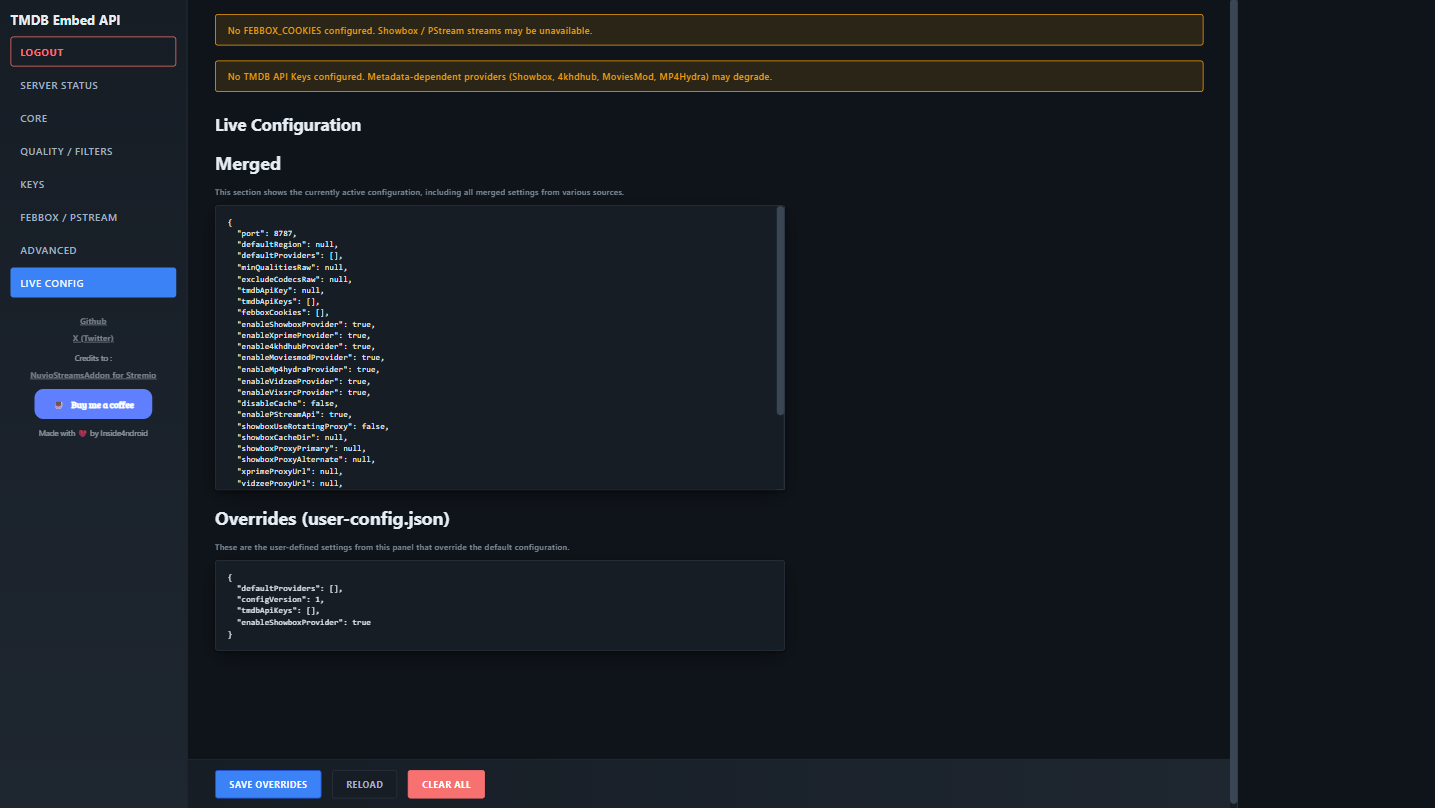
All runtime state collapses into a *merged* object displayed in the UI (Live Config panel). Source order:
1. Initial environment variables / optional `.env`
2. JSON overrides: `utils/user-config.json`
Saving in the UI writes only changed keys. Setting a field to empty removes the override (reverting to env/default). Removing all TMDB keys (and saving) clears `tmdbApiKeys` and the legacy `tmdbApiKey`.
**Override File:** `utils/user-config.json`
```json
{
"defaultProviders": ["showbox","4khdhub"],
"tmdbApiKeys": ["KEY_A","KEY_B"],
"enableShowboxProvider": true
}
```
---
## 🎛 Admin UI Sections
| Panel | Summary |
|-------|---------|
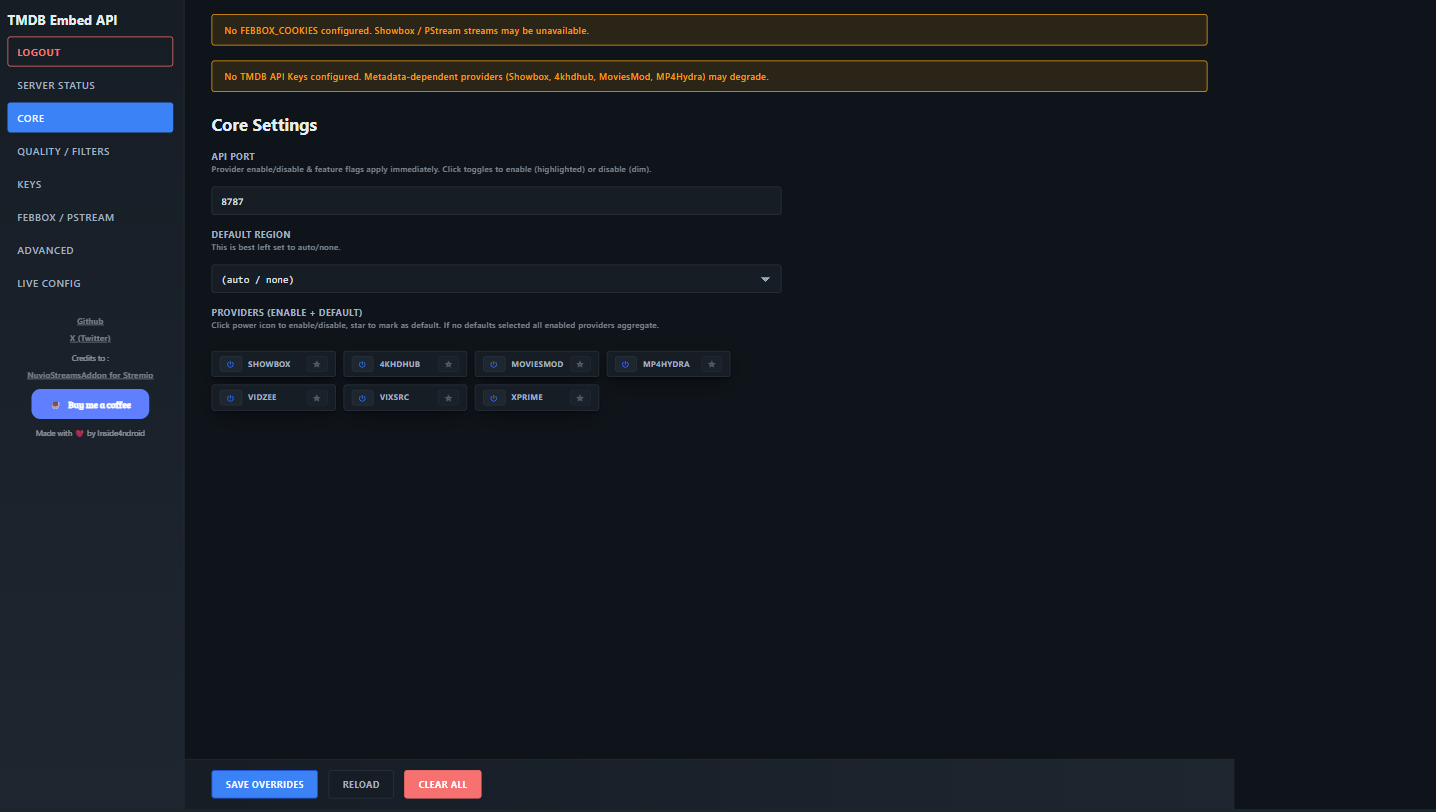
| Core | Port, default providers, default region |
| Quality / Filters | Min quality presets & codec exclusion JSON |
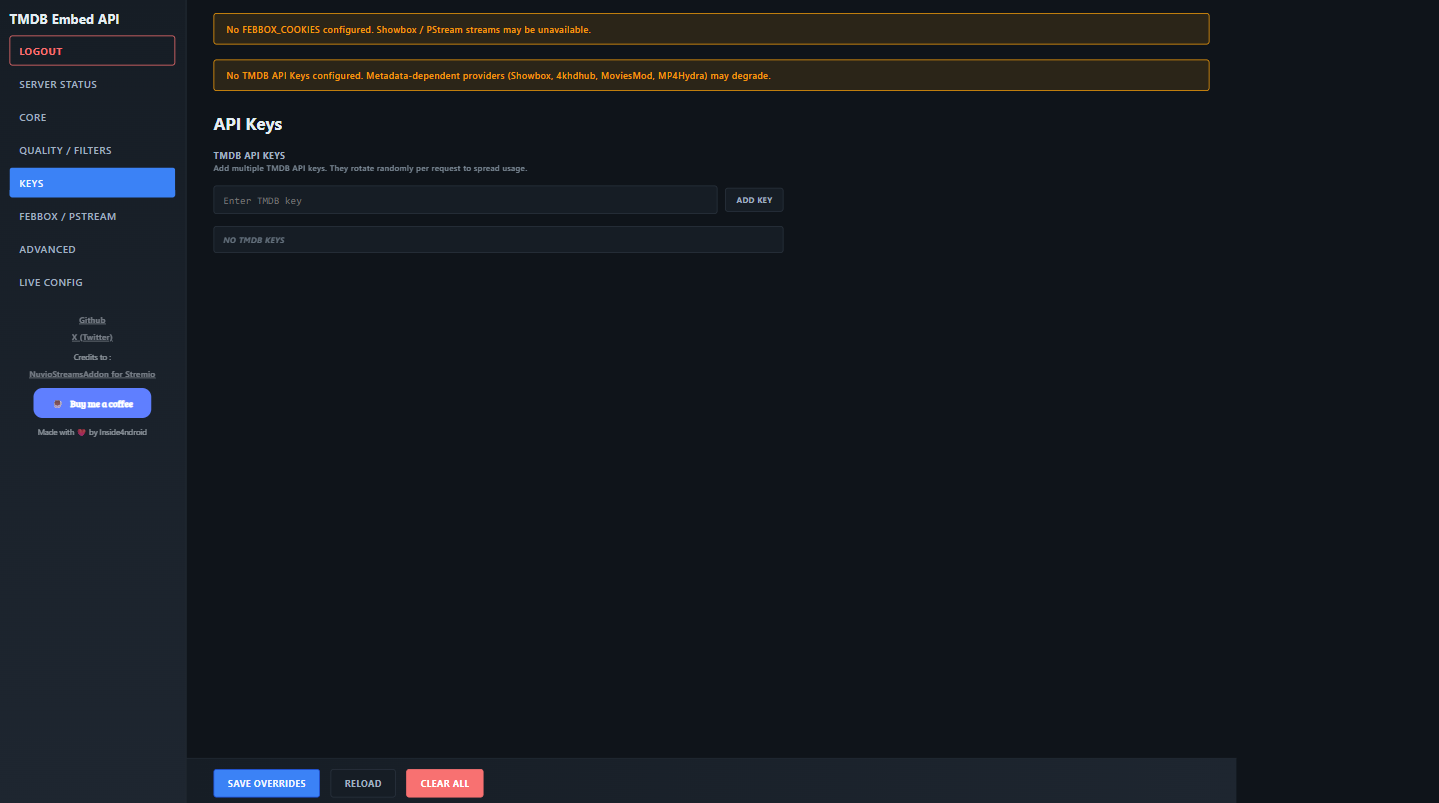
| Keys | Add/remove TMDB API keys (rotated randomly) |
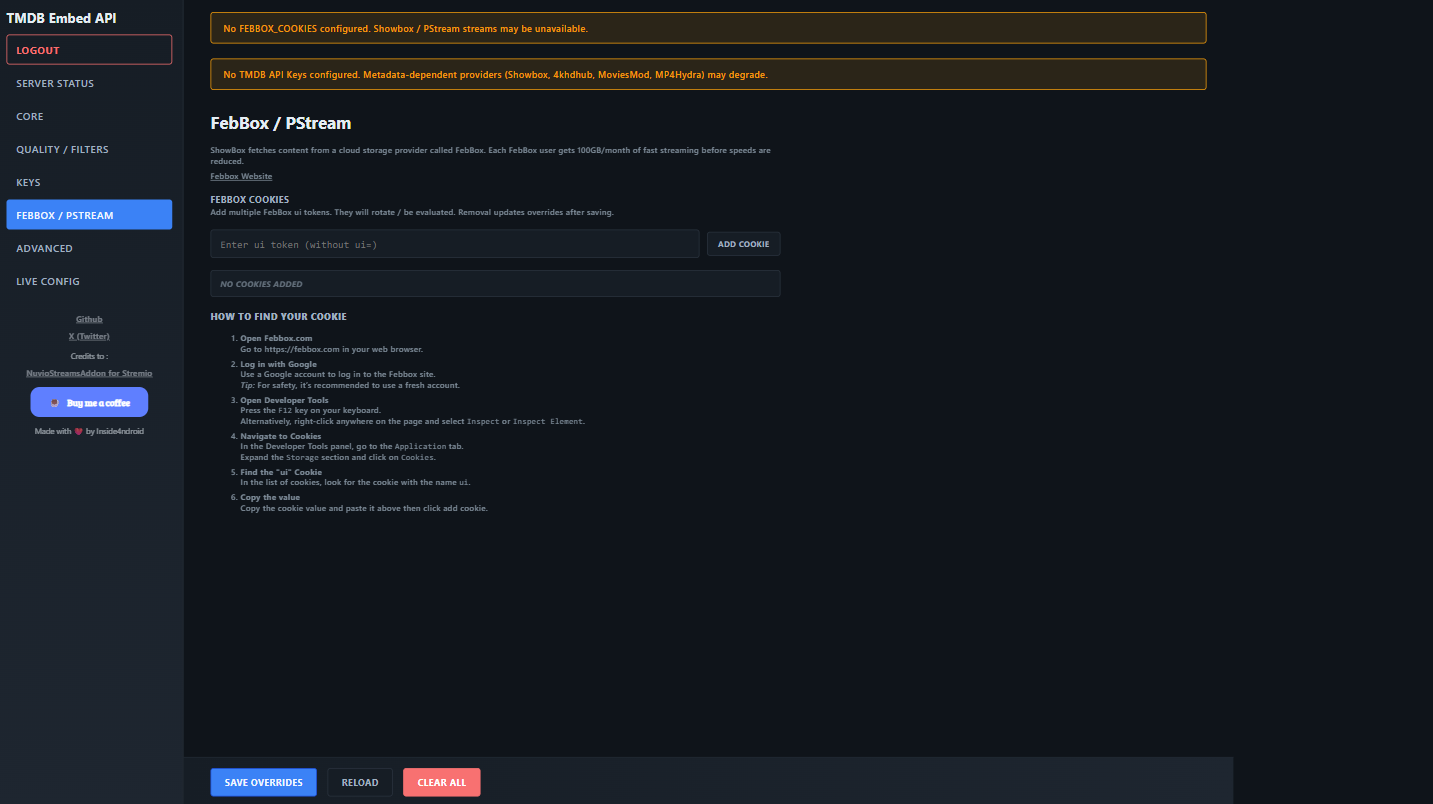
| FebBox / PStream | Manage FebBox cookies powering Showbox provider |
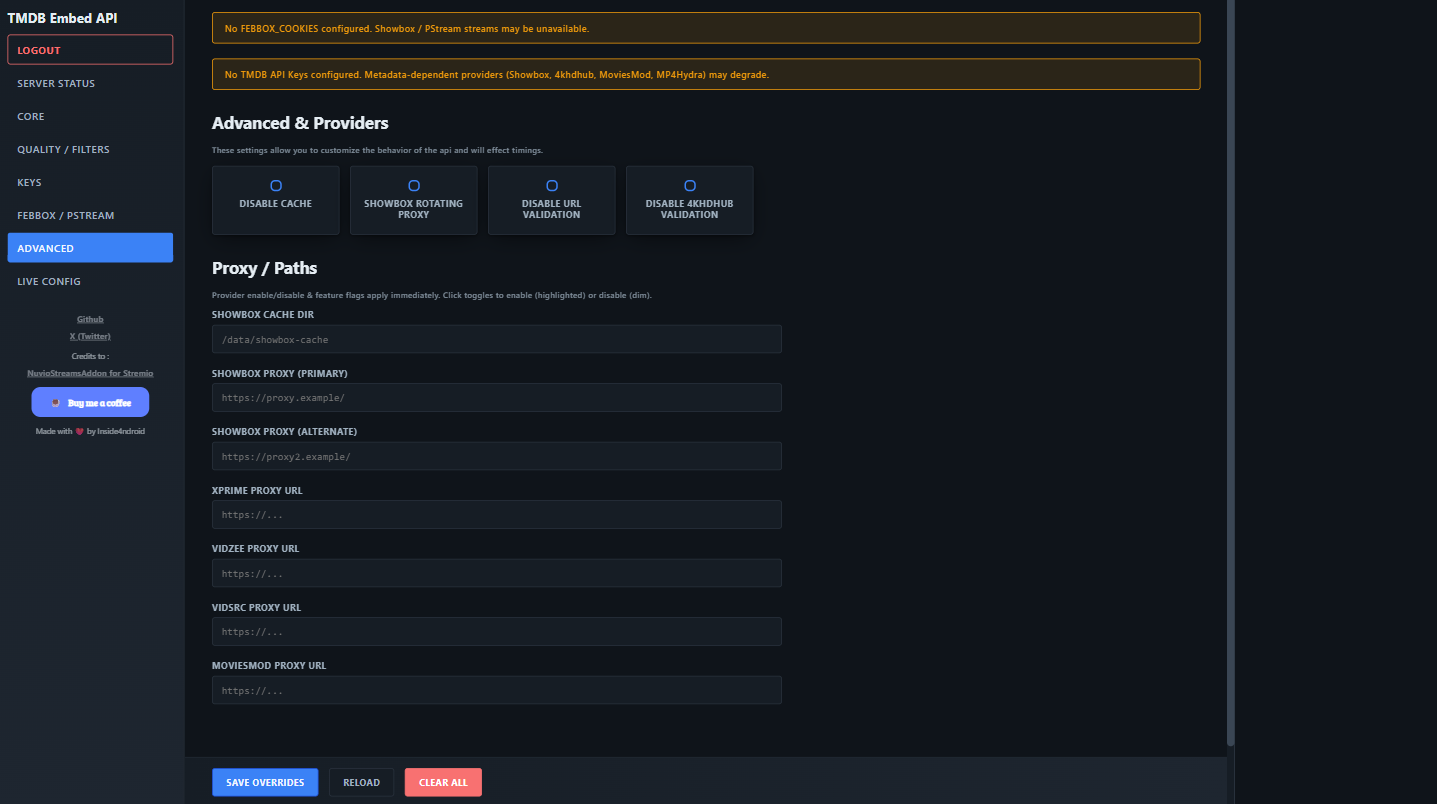
| Advanced | Provider toggles, cache & validation flags, proxy paths |
| Server Status | Live metrics, provider functional checks |
| Live Config | View merged + override JSON snapshots |
Session is revalidated on visibility and back/forward navigation to prevent stale access.
---
## 🔌 Providers
Current built‑in providers:
- `showbox`
- `4khdhub`
- `moviesmod`
- `mp4hydra`
- `vidzee`
- `vixsrc`
- `xprime`
You can enable/disable and mark defaults via the Provider Matrix in the UI. If **no defaults** are selected, all enabled providers participate in aggregation.
### Adding a New Provider (Outline)
1. Create `providers/myprovider.js` exporting an async fetch function (see existing files for patterns).
2. Lazy‑load it in `providers/registry.js` similar to others.
3. Add a config flag (`enableMyproviderProvider`) if you want toggle support.
4. Update the provider matrix arrays in `public/index.js`.
---
## 📡 Key Endpoints
| Endpoint | Description |
|----------|-------------|
| `GET /api/health` | Basic heartbeat |
| `GET /api/metrics` | Runtime counters & summary |
| `GET /api/status` | Metrics + providers + endpoints list |
| `GET /api/providers` | Enabled providers summary |
| `GET /api/providers/:name` | Single provider status |
| `GET /api/streams/:type/:tmdbId` | Aggregate streams (`type` = movie|series) |
| `GET /api/streams/:provider/:type/:tmdbId` | Provider-specific streams |
| `GET /api/config` | `{ merged, override }` |
| `POST /api/config` | Apply override patch |
Aggregate endpoint auto-resolves IMDb when needed and merges provider output before filtering.
---
## 🧪 Stream Object Shape (Typical)
```json
{
"title": "Example Title",
"url": "https://...",
"quality": "1080p",
"provider": "showbox",
"size": null,
"languages": ["en"],
"subtitles": [],
"codecs": ["H264"],
"headers": { "Referer": "..." }
}
```
Filtering passes through `applyFilters` to enforce min quality + codec exclusions.
---
## 🧩 Quality & Codec Filtering
- Presets: `all`, `480p`, `720p`, `1080p`, `1440p`, `2160p`.
- Custom quality JSON example:
```json
{ "default": "900p", "showbox": "1080p" }
```
- Codec exclusion JSON example:
```json
{ "excludeDV": true, "excludeHDR": false }
```
---
## 🔐 Security Notes
- Admin UI requires login; session cookie is HttpOnly.
- Cache-control headers disable storing sensitive pages.
- Login is rate limited with escalating lockouts.
- Password change endpoint enforces minimum length.
---
## 🚀 Deployment Tips
| Aspect | Recommendation |
|--------|---------------|
| Node Version | 18+ LTS |
| Reverse Proxy | Terminate TLS (e.g., Nginx) and forward to API port |
| Persistent Config | Mount / persist `utils/user-config.json` |
| Logs | Pipe stdout to centralized logger |
| Scaling | Use a single instance unless providers are CPU bound |
For ephemeral platforms (e.g., Vercel) note that some providers use temporary directories; avoid enabling disk-heavy cache directories.
---
## 💡 Troubleshooting
| Symptom | Cause / Fix |
|---------|------------|
| No streams from Showbox | Missing FebBox cookies |
| TMDB quota issues | Add more keys under Keys panel |
| Provider missing in matrix | Ensure its enable flag exists & UI updated |
| Empty merged config after restart | `user-config.json` deleted or unreadable |
| Streams low quality | Adjust min quality preset or custom JSON |
---
## 🤝 Contributing
PRs welcome. Keep changes focused and avoid unrelated formatting churn. For new providers include:
- A short rationale
- Retry / timeout safeguards
- Respect for existing filtering structure
---
## ❤️ Sponsorship
If this project helps you, consider sponsoring to support continued development & maintenance:
➡️ **GitHub Sponsors:** https://github.com/sponsors/Inside4ndroid
Every contribution accelerates feature delivery & sustainability.
---
## 📜 License
MIT. See `LICENSE`.
---
## 🙏 Acknowledgements
Inspired by community scraping/stream aggregation efforts. Credits also to the original NuvioStreamsAddon work for earlier concepts.
---
> *Happy streaming & hacking!* ✨
---